It’s So Much More Than Just a Number
A few weeks ago, I shared that it takes a lot of different tools to build a successful construction business. I also mentioned that we’d begin taking a closer look at some of those tools and why they matter. This week we’re starting with one that has changed quite a bit over the years: the Production Tracker.
It wasn’t always called that. Originally, it was simply the Job List, an Excel spreadsheet designed to track proposals and assign project numbers. Over time, as my business grew, so did the capabilities of the tool. Eventually, it became much more than a simple “job list”.
The goal wasn’t to create another spreadsheet (believe me, I have plenty). It was to create a system. Good systems organize information so you can find it quickly, make better decisions, and spend less time trying to remember where things are.
I’ve learned over the years that a good system should reduce the number of decisions you have to make.
Instead of asking questions like, “What year was this bid?”, “Was it residential or commercial?”, or “What type of work was it?”, the project number tells us the answer.
I didn’t want project numbers to simply identify a job—I wanted them to communicate useful information at a glance. When every number has a purpose, you can quickly understand what you’re looking at without digging through files or trying to remember the details.
Here’s how we break it down:
1st & 2nd Digits – Year
- 25 = 2025
3rd Digit – Project Size
- 1 = Residential Large ($5,000+)
- 2 = Residential Small (Under $5,000)
- 3 = Commercial Large ($7,500+)
- 4 = Commercial Small (Under $7,500)
4th Digit – Type of Work
- 1 = New Construction & Renovations
- 2 = Additions, Remodels & Repairs
- 3 = Cabinetry & Millwork
- 4 = Roofing & Siding
- 5 = Windows & Doors
- 6 = Flooring
- 7 = Porches, Decks, & Yard Buildings
- 8 = Design & Drawings
- 9 = Miscellaneous
5th – 7th Digits – Proposal Number
- 001 = First proposal
- 002 = Second proposal
- 003 = Third proposal
- …and so on
For example:
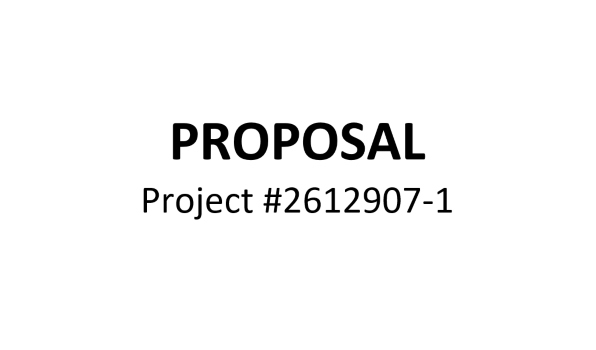
Project #2512048
- 25 = Year (2025)
- 1 = Large residential project
- 2 = Remodel
- 048 = 48th proposal created
That means one quick look at a project number tells us when it was bid, what type of project it is, its approximate size, and where it falls in our proposal sequence.

If a proposal is revised, we simply add a revision number after a hyphen.
Example: 2512048-1
This tells us that this proposal has had one revision.
The Job List also keeps those proposal numbers in order, making it easy to assign the next available project number while tracking where every proposal stands. Here’s what that looks like in the Job List:
| BID # | BID | SIGNED | JOB NUMBER |
| 819 | 2231819 | ||
| 827 | 1 | 1 | 2219827 |
| 841 | 2312841 | ||
| 844 | 2317844-1 | ||
| 845 | 1 | 1 | 2325845-1 |
| 846 | 1 | 2425846 | |
| 847 | 1 | 2432847 | |
| 848 | 1 | 1 | 2423848-1 |
| 849 | 1 | 1 | 2425849-1 |
| 850 | 1 | 2427850 | |
| 851 | 1 | 2427851 | |
| 852 | 1 | 1 | 2412852-2 |
Having every proposal organized this way also makes it much easier to locate information later.
The more your business has to rely on memory, the harder it becomes to grow.

Systems allow your business to rely on processes instead of people remembering what to do. Whether we’re looking back at old estimates, tracking production, or answering customer questions, everything follows the same structure.
Today our proposal numbers are approaching the 900s. We average around 35 proposals each year, so before long we’ll likely expand to an eight-digit numbering system.
What started as a simple spreadsheet has grown into one of the foundational tools we use to organize projects and keep information consistent. That’s how many of the best business systems begin, not as elaborate software, but as a simple solution to a recurring problem. As the business grows, the system grows with it.
For us, the Job List has evolved into much more than a list of projects. It’s become a management system, and next week I’ll show you what changed, why we made those changes, and how they helped us better manage production.
Good systems don’t have to start out complicated. Start by reducing the number of decisions you have to make. The less time you spend trying to remember information or figure out where something is, the more time you can spend actually running your business. Solve today’s problem, then continue improving the system as your business grows.
If you’d like to learn more about this tool or any of the others we use, schedule a free meeting with me or take a look at the Business BUILDing Toolbox.