
A Tool for Taking Control
The last time we checked in with Gene and John, they were discussing the Payment Application tool and how it can help businesses improve their cash flow. That was several weeks ago, and at their meeting today, they are discussing Microsoft OneNote as a tool for maintaining control of business and life.

Let’s join their meeting as John explains OneNote.
——-
“At the end of our last meeting, I shared how OneNote is like a shelf full of notebooks. Think of three-ring binders or spiral notebooks with different sections and pages. One of the advantages of OneNote over a paper notebook is that it never runs out of paper. Did you have a chance to check out the links I sent you?”
With a surprised expression, Gene looks up. “I forgot that you sent those to me.”
“That’s alright. This is a good example of how OneNote can help,” responds John. “There are so many things to remember, and keeping track of everything can be hard. OneNote is a great place to keep notes and reminders. Because OneNote syncs across multiple devices, you can put a note on your smartphone, and it will show up on your computer.
“Being a self-employed business owner adds to the number of things you need to remember. Forgetting things becomes even more common when organization and communication are done poorly or not at all. As the business grows, there are more things to organize and more people to communicate with.
“During my forty-five-plus years of working to achieve and maintain some level of control, I have used a lot of different tools. Some were old school, and some were high-tech. The best tool I have found for organizing and communicating is OneNote. It does so much, and does it so well, that I don’t need a bunch of different apps that do different things and don’t sync well across different systems and devices.
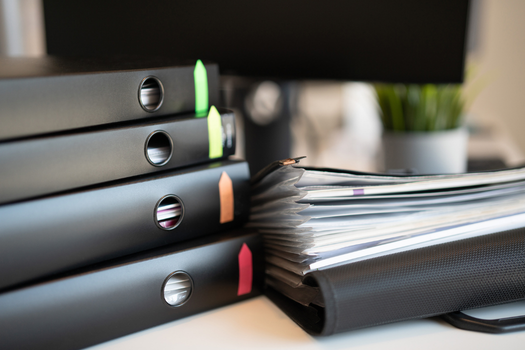
“OneNote is like a three-ring binder on steroids. I’ve used binders for organizing for years and still use them to a small degree. A good comparison between OneNote and a traditional binder is how I used to keep a binder on-site at construction projects. It was a place to store information so that different employees, subcontractors, management, architects, and the customers could all access the project details.”
John hands Gene a couple of pages.
“Here is a list of some of the things OneNote can do to help you.”
- Share information with other people across multiple devices. – This can be as simple as sharing a shopping list with your spouse or as detailed as an entire notebook with colleagues on a project.
- Sync automatically across multiple devices. – If someone adds to the shopping list or checks something off a to-do list, you will know it instantaneously if you’re connected to the internet. If you’re not connected, it will sync once you are.
- See when changes are made. – When someone makes a change, it can be marked so you know something has been updated. You can go to the specific change and see who made it and when.
- Insert almost anything on a page. – You can insert copies of other documents, screen clippings, photos, audio and video recordings, links to other pages or websites, and much more. This is just a small part of what is available with OneNote.
- Link to and from multiple locations. – You can put a link to a specific OneNote page in a task reminder, calendar event, or Word document. Click on the link, and it will open that page, even if OneNote isn’t already open.
- Editing is really easy. – Things on a OneNote page can be clicked on and moved to different places on the page. This feature is great for prioritizing a list. If you want to move something higher on the list, just move it there. No cutting, copying, or pasting required (although you can do those things as well).
- It’s always ready to open and use. – You don’t have to open a bunch of programs, folders, or files before you can write something down. Click on the OneNote icon in the taskbar, and it’s open. A couple more clicks, and you can write down your note before you forget it.
- A great place for filing and storing information. – If you want to save an email from a customer that includes a picture and a link to a website, you can do that right from Outlook.
- Protect sensitive information within a shared notebook. – If you have a page with ideas for your spouse’s Christmas gifts, you can password protect that section. This means that if my wife “accidently” goes to her Christmas page when she meant to go to the shopping list, she can’t open it without the password…and she doesn’t have the password.
- Draw or write on it just like paper. – This feature is great for quickly gathering information with a tablet or phone. I can draw the floor plan for a room addition and write dimensions and notes right in OneNote.
“Here is a list of things that make OneNote such a valuable tool when it comes to staying organized and not forgetting things. This list only scratches the surface of what this tool can do, but it’s a good place to start.”
They go through the list and discuss each feature in more detail. John explains that next week they will start breaking things down into smaller, bite-sized pieces.
——-
Let’s check back in with them next week to see what John is going to show Gene.

If you would like to learn more about OneNote and what it can do to help you stay organized and maintain control, you can schedule a free 30-minute meeting with me.
Portions of this post were taken from previous posts.